
Payment + redemption checkout
Apply eligible value before the customer pays.
SkanPay is developing a checkout value platform for participating wallets, merchants, payment partners, and promotion programs. The goal is simple: use the value a customer already has, then pay the remaining balance.
Coupon, voucher, gift-card, loyalty, or wallet valueOne checkout momentClear result confirmation
The payment problem
Checkout is where stored value gets lost.
A customer may have value in one place while the invoice, merchant rules, and payment path live somewhere else.
A customer has value, but checkout does not know how to use it.
SkanPay is focused on helping eligible wallet, coupon, voucher, gift-card, or loyalty value apply before payment.
A merchant cannot connect every app and offer source one by one.
The model is designed around a shared checkout path for participating wallets, value programs, and merchant systems.
A promotion owner needs proof that value turned into a completed sale.
A completed flow should show what was applied, what final balance was paid, and what result came back.
Company and demo
SkanPay is the platform direction. BeamCash is the proof.
BeamCash makes one QR checkout moment visible, while SkanPay is the broader path for partner checkout value.
Connects eligible wallet, coupon, voucher, gift-card, or loyalty value to a participating checkout before final payment.
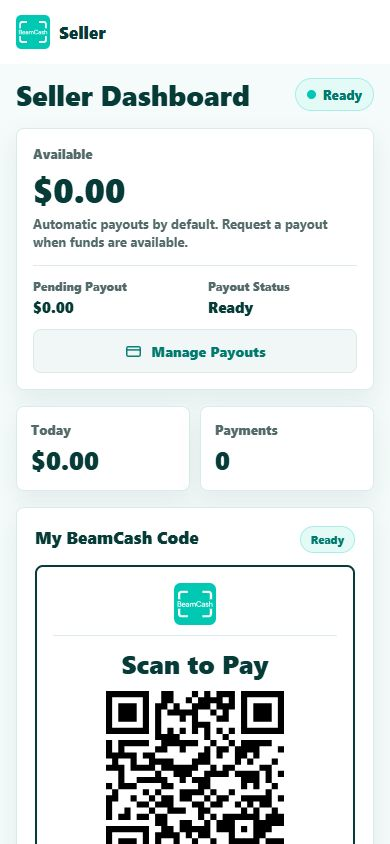
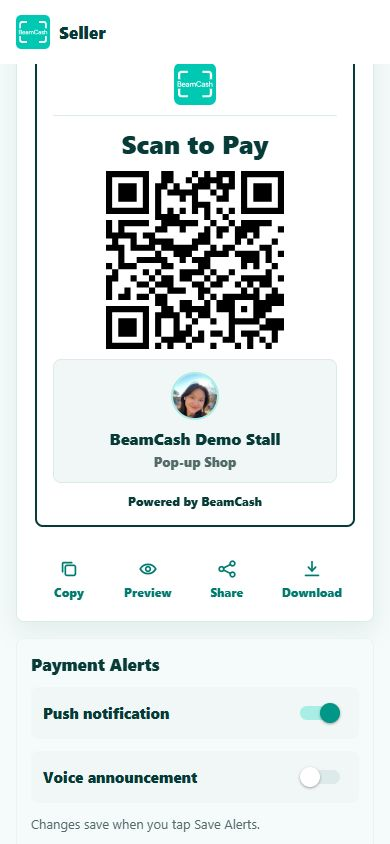
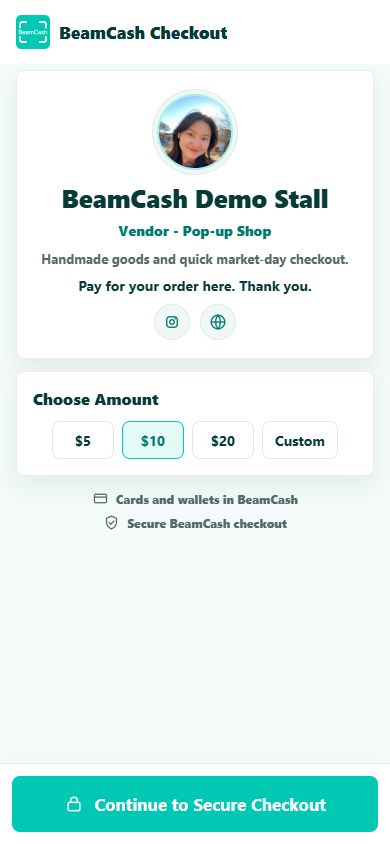
Shows the visible checkout moment first: seller creates a code, buyer reviews the details, seller sees confirmation.
A wallet, merchant platform, payment partner, or promotion owner can start with one defined value-at-checkout problem.
BeamCash demo
A visible QR checkout for sellers and buyers.
BeamCash helps us test setup, scan behavior, buyer review, seller confirmation, and the practical details that payment partners care about.
Explore BeamCashNext step
Have a checkout or redemption problem to test?
Share the wallet, merchant, offer, or seller workflow you want to make simpler.